VISION RESTAURANT POS SOFTWARE
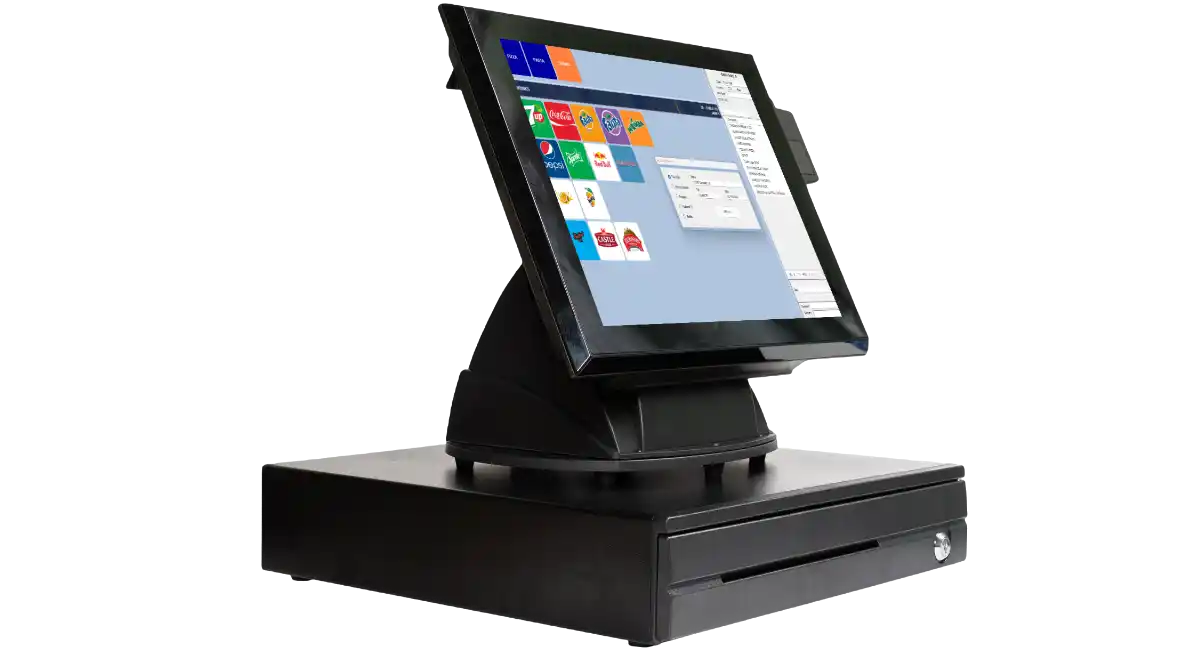
Run Your Restaurant Smarter with Vision Restaurant POS Software

Your Cash Management Solution in Tanzania
WHAT DOES VISION RESTAURANT POS SOFTWARE DO?
ITEM DEFINITION

Features
Menu Items
Efficiently categorize and manage restaurant menu items from appetizers to main courses. Our POS system provides a streamlined way to organize and update your menu for quick order processing.
Kitchen Items
Easily track and manage back-of-house inventory items with our advanced POS software. Dedicated tracking for kitchen ingredients allows you to maintain optimal stock levels, reducing waste and ensuring smoother operations. This capability empowers restaurant managers to make informed purchasing decisions and manage inventory turnover effectively.
Beverages (sell in different UOM's)
Sell beverages in various units of measurement (UOMs), such as glass, bottle, or pitcher. Our POS software adapts to different serving sizes, making it ideal for managing drinks in restaurants, bars, and cafes. This flexibility enables businesses to cater to diverse customer preferences and optimize their beverage offerings.
Allocate to account
Assign specific menu items to different revenue accounts. This feature simplifies accounting processes by providing detailed tracking of item-specific sales and costs. By categorizing items financially, businesses can better understand profitability and make informed decisions about menu pricing and inventory management.
POS CUSTOMIZATION

Features
Create menus/sub-menus
Effortlessly design and organize your restaurant’s menu with our customizable POS system. The ability to create detailed menus and submenus allows for intuitive navigation, ensuring that staff can quickly access items and improve order efficiency. Whether you’re operating a casual café or a fine dining establishment, this feature enhances the dining experience.
Setup your buttons to yor liking
Tailor your POS interface by customizing button layouts to suit your workflow. Our system enables you to arrange buttons according to your preferences, making it easier for staff to access frequently used items and services. This flexibility streamlines operations, reducing the time spent on transactions and allowing your team to focus on providing exceptional customer service.
Change Themes on the go (Light/dark)
Adapt your POS display to different environments with the option to switch between light and dark themes. This feature not only enhances visibility in varying lighting conditions but also allows staff to work comfortably for extended periods.
RESTAURANT SETUP
Features
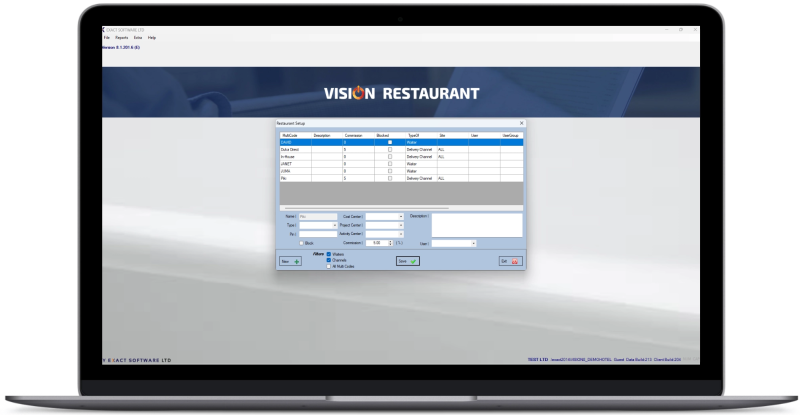
Setp your waiters/deliveries
Easily configure profiles for waitstaff and delivery personnel. Our POS system allows you to organize waiter roles and delivery channels, ensuring clarity on responsibilities and improving overall customer service. This setup enables management to track individual performance, helping identify top performers and areas for improvement.
Setup your billing group/profiles
Customize billing groups for different restaurant sections, such as dine-in, takeout, or catering. Our POS software enables you to manage diverse billing profiles across departments.
Setup designations
Define and assign job roles within your restaurant, from manager to kitchen staff. Efficiently manage roles with designated permissions, ensuring smooth operations and accountability.
Setup button groups, order printers and POS collections
Organize button groups for easy access to frequently used menu items, and set up specific order printers for each kitchen section. Our system allows you to manage POS collections, optimizing your order flow and reducing wait times.
POS ORDERING
Features
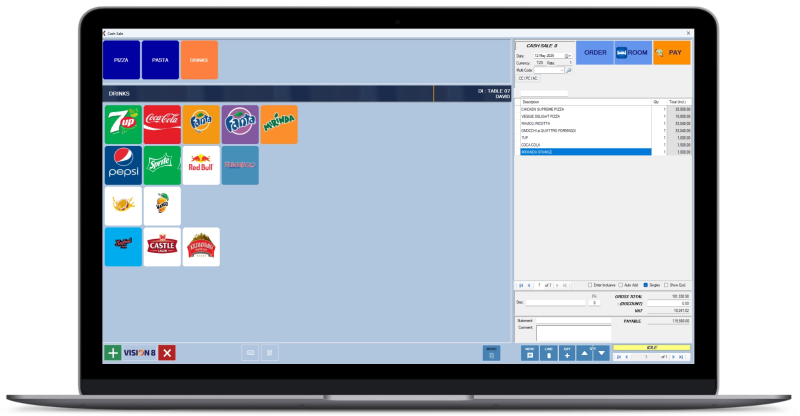
Order taking
Simplify and speed up the order-taking process with our POS software. Designed to handle multiple orders, it offers options for item modifiers and notes, ensuring customer preferences are accurately recorded. This feature allows waitstaff to tailor orders according to individual customer needs, enhancing the dining experience.
View your orders
Get a real-time view of all active orders. Track each order’s status from preparation to delivery, enabling better coordination between waitstaff and the kitchen. This visibility allows for timely updates to customers and ensures that service remains seamless, even during peak hours.
Finalise payment
Streamline the payment process with fast and accurate options. Accept multiple forms of payment, including cash, credit cards, and mobile payments, ensuring a convenient and secure checkout experience.
BILL SPLITTING /PAYMENTS
Features
Split multiple bills
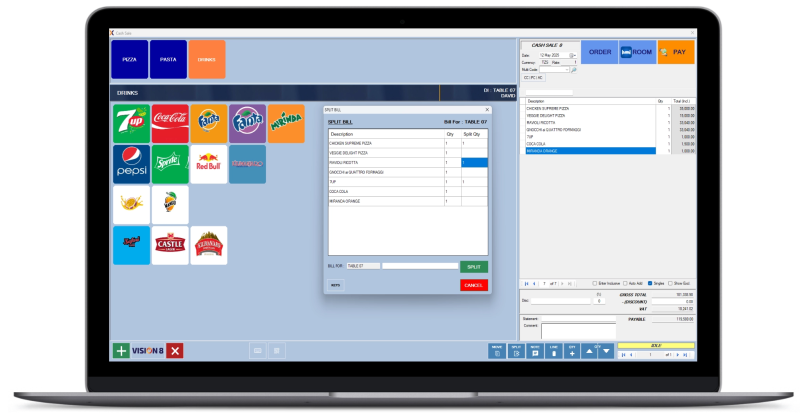
Easily split bills between customers or items. Our restaurant POS software offers flexible options, allowing you to split bills by tables and manage separate fiscal receipts, ideal for group dining. Customers can pay separately while receiving distinct receipts, making transactions easier and more organized.
Different payment methods
Accept a variety of payment methods, including cash, credit cards, and mobile payments, ensuring convenience for your customers. This versatility allows your restaurant to cater to a wide audience, accommodating different customer preferences for payment.
Connect fiscal devices
Comply with Tanzanian fiscal regulations by connecting to certified fiscal devices like Datex and Incotex. Our POS system integrates seamlessly with these devices, ensuring tax compliance and easy reporting, thus simplifying the financial management of your restaurant.
SALES REPORT/AUDITING
Features
Audit trails
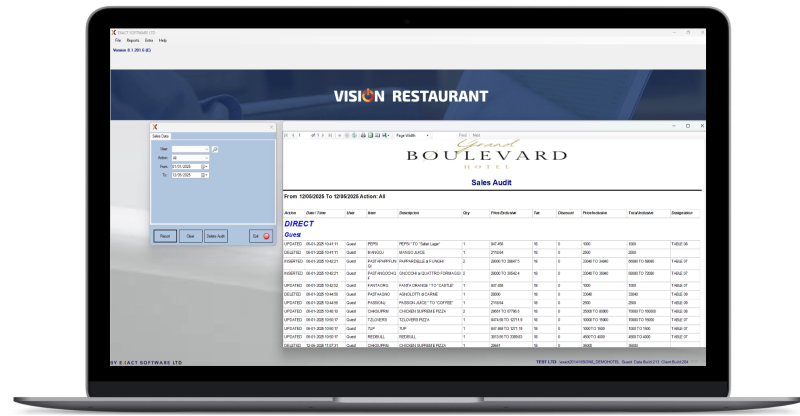
Track all system activity through detailed audit trails. From order edits to menu changes, every action is logged automatically to ensure transparency and accountability.
Audit by user
Know exactly who did what, and when. The system identifies each user’s actions — including POS transactions, stock changes, or system edits — with accurate timestamps and user IDs.
Track inserts/deletions/updates
Whether it’s a deleted item, updated order, or newly added menu option — every modification is recorded. This feature helps you monitor suspicious activity, resolve errors, and maintain data integrity within your restaurant.